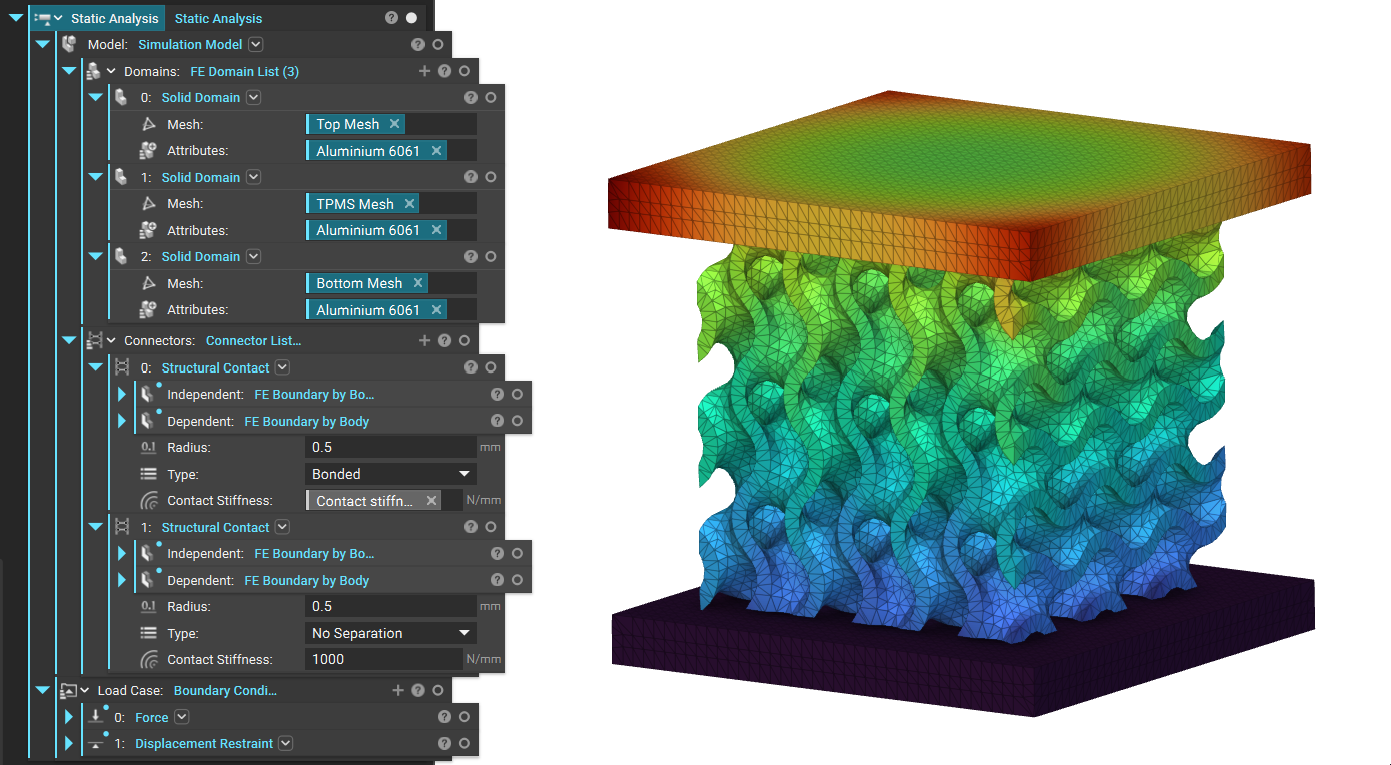
Objective:
Learn what methods are available for connecting FE meshes.Applies to:
- Design Analysis
- Topology Optimization
- Rigid Connector
- Tie Constraint
- Spring Block
- Structural Contact
- Thermal Bonded Contact
Note: Only the Tie Constraint and Rigid Connector are supported in Topology Optimization
Procedure:
Rigid Connector
The Rigid Connector block can be used to define a connection between a point and the surface of a domain in a simulation or optimization study. This is typically used in multi-domain simulations where only the mass of the auxiliary domains affects the analysis, while the geometry of these domains can be neglected. These auxiliary domains are modeled as a Solid Domains of FE Points in nTop. This can be used to reduce the size of the finite element model, improving the simulation or optimization solver’s performance without compromising the results’ accuracy. This Rigid Connector system, in combination with point masses, can be used in studies where the mass participation of the domains is essential, like a Modal Analysis, a Buckling Analysis, or an Optimization study (Topology or Field Optimization) with a Frequency Response as a constraint or an objective.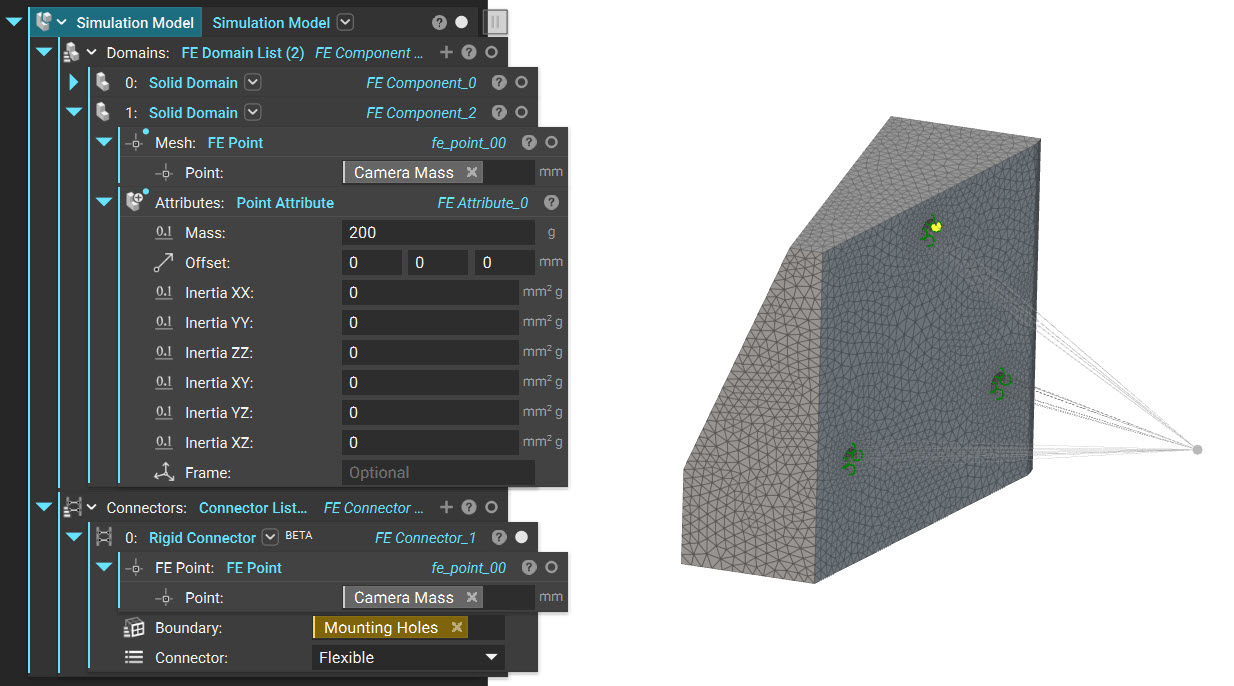 The block has the following inputs :
- Point: This is where the block will create a remote point. This is typically at the center of mass of the domain being represented. To learn more about the attributes that can be applied to the point, please look at the Point Attribute Learn More link.
- Boundary: This defines the boundaries (typically nodes on a surface) that will be connected to the point with rigid elements
- Connector: This defines the behavior of the nodes on the boundary linked to the motion of the point and has two options -
- Rigid: The rigid option constrains the nodes on the boundary to move with the point. It prevents relative motion between the nodes on the boundary and behaves like a rigid entity. This is popularly known as the RBE2 connector that connects an independent node (green) to a set of dependent nodes (yellow)
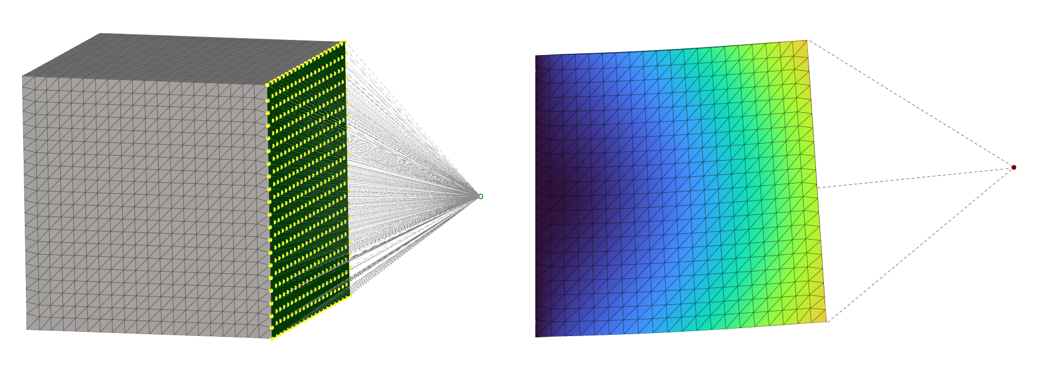
-
- Flexible: This flexible option links the motion of the point to the nodes on the boundary and enables relative motion between these nodes. This distributes the mass between the nodes on the boundary and avoids locally stiffening the model (unlike the Rigid connector). This is popularly known as the RBE3 connector that connects a dependent node (yellow) to a set of independent nodes (green)
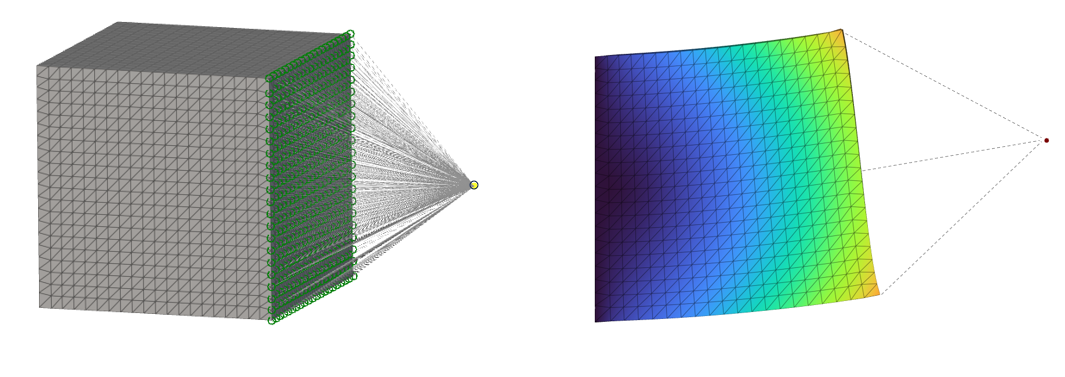 You’ll be able to read about an example of using a Rigid Connector here.
Tie Constraint
A Tie Constraint is a rigid connection that ties two nodes together. Tie constraints make the displacement of the selected nodes equivalent, effectively removing one degree of freedom from the system. Choose the Independent nodes and the Dependent nodes using a Boundary Selection block. The Independent boundary looks for the Dependent boundary within a specified tolerance. An error will occur if the tolerance is too low to find the boundary. This error can be fixed by increasing the tolerance or editing the boundary. The Rotation checkbox toggles the option to tie rotational degrees of freedom. You can read here for an example of using a Tie Constraint.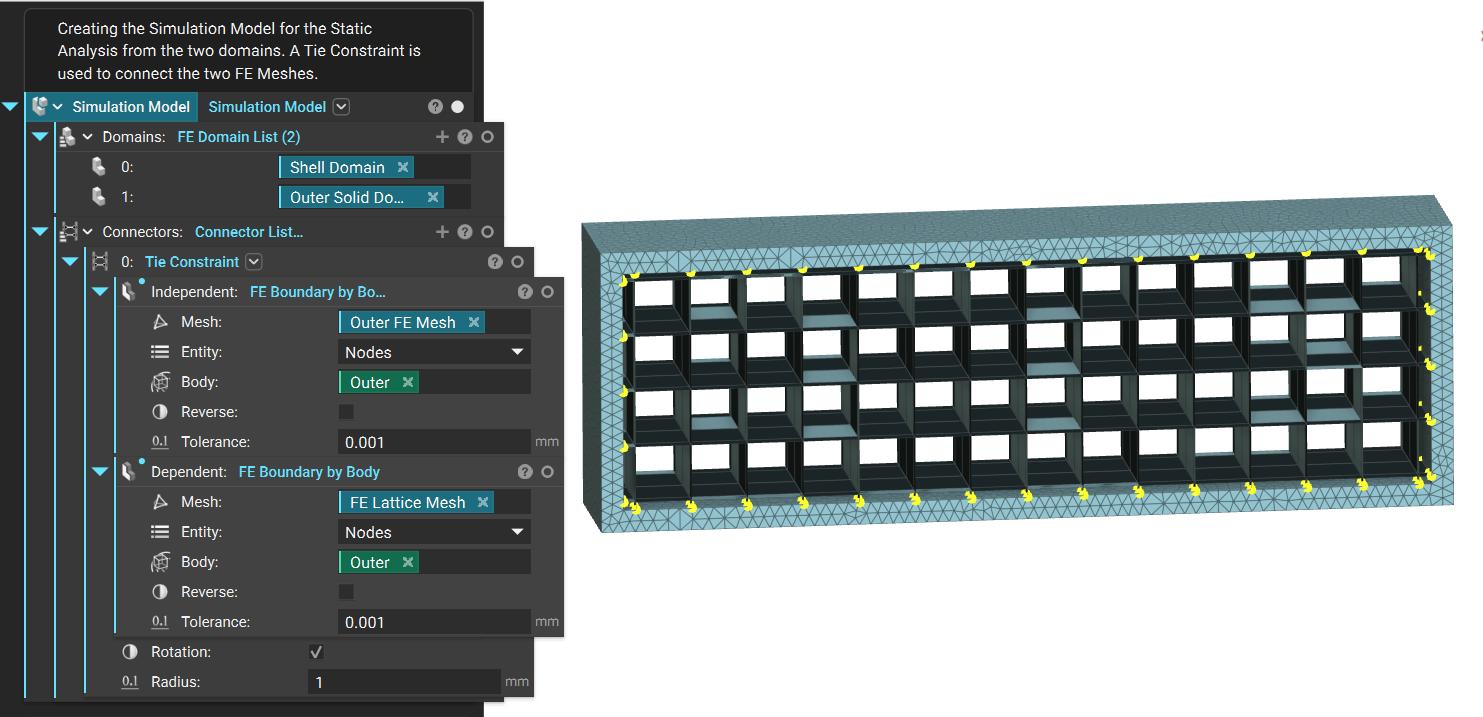
Spring
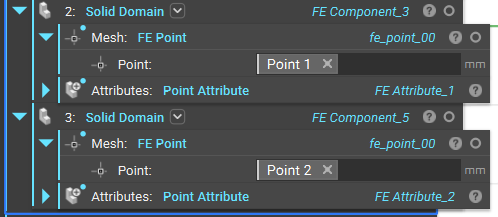
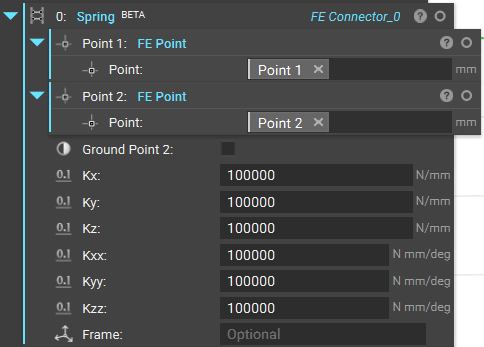
The Spring block creates a spring element between two Points. The spring force is calculated using the formula F=K*(u2-u1), where K is a stiffness tensor constructed from the stiffness inputs Kx, Ky, Kz, Kxx, Kyy, and Kzz.- To simulate a “Bushing/Bolt” in simulation, one would use Rigid/Flexible connectors to connect boundaries to points and a spring element between the points with the proper stiffness values.
- When using the option to ground one of the points, you simulate a connection to a Rigid body outside the simulation. This is equivalent to using a spring element between two points and then applying a displacement restraint on the grounded point.
 |  |
Structural Contact
A Structural Contact block is an elastic connection between the two meshes, allowing relative motion with a defined stiffness. This is usually used if you have two surfaces that are glued together with some material that has a vastly different stiffness than the connected surfaces, and that, in turn, allows the connected surfaces to not move completely in sync but have certain resistance between them. It’s often used for calculating contact failure and to more accurately model connected/welded surfaces, but it is generally applicable to any connection dictated by a finite stiffness. The nodes are connected as if a spring of contact stiffness is defined between them. Choose the Independent and Dependent nodes using a Boundary Selection block (How to select boundaries of an FE Mesh - FE Boundary by Body and How to select boundaries of an FE Mesh - FE Boundary by Flood Fill). The Independent boundary looks for the Dependent boundary within a specified tolerance. An error will occur if the tolerance is too low to find the boundary. This error can be fixed by increasing the tolerance or editing the boundary. Type of contact: Bonded contact prohibits relative displacement in the normal and tangential direction. No Separation contact prohibits relative displacement in the normal direction and allows displacement in the tangential direction. The Contact Stiffness is suggested to be the average of two Young’s moduli. Structural stiffness of the contact penalization. If not provided, the contact stiffness will be set equal to the average of the diagonal mean of the material coefficient matrix of the contacting surfaces. Another method of determining the contact stiffness is k = E * A/d (where A is the contact area and d is the contact layer thickness). Structural Contact - Example File