

Introduction
In the previous lesson, you built fields directly from equations using the Scalar Field Variable block to represent the X, Y, and Z coordinates. You also learned to recognize a well-behaved signed distance field (SDF) in the Field Viewer: its isolines remain parallel to the surface and are evenly spaced because moving 1 mm through space changes the field value by exactly 1 mm. This lesson explains what can cause a field to lose these characteristics and how to address the resulting behavior. It focuses on one of the blocks most commonly associated with this change: Remap Field.When an Implicit Field is Not an SDF
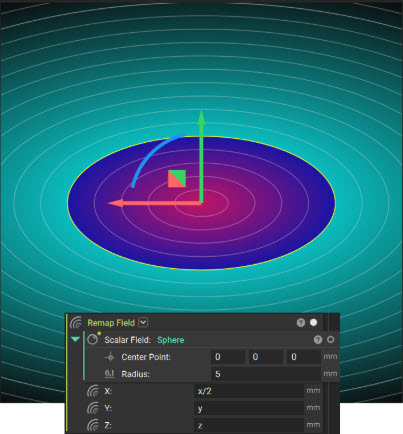
Any scalar field that is negative inside a shape and positive outside can correctly define the shape’s boundary at the zero-value surface. However, accurately defining the boundary does not mean the field accurately represents distance everywhere else. For a field to be a signed distance field (SDF), the magnitude of its rate of change must equal 1. In other words, moving 1 mm through space in every direction should produce a 1 mm change in the field value—no more and no less. This rate of change is described by the field’s gradient, and a true SDF has a unit gradient. Consider the sphere, with a radius of 3 and its center at the origin: F(x, y, z) = √(x² + y² + z²) − 3 This equation produces an exact SDF because its gradient magnitude is 1 throughout the field. Now compare the sphere with an ellipsoid that is compressed along one axis. The ellipsoid’s implicit equation remains negative inside the shape and positive outside, so its zero-value surface correctly defines the ellipsoid’s boundary. However, the gradient magnitude varies with position and direction. As a result, field values away from the zero-value surface no longer represent true distances.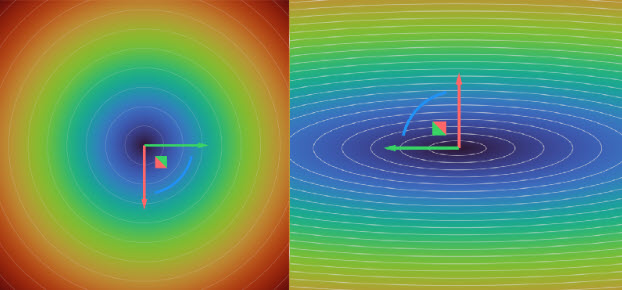
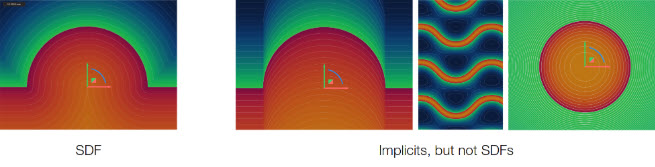
When an Implicit Field is Not an SDF and Why it Matters
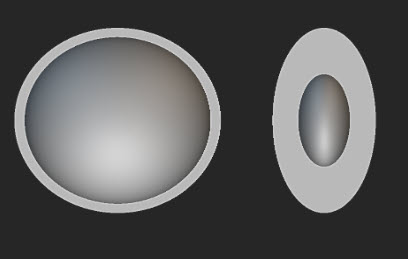
A distorted field may still appear correct in the Viewport because the Viewport displays only the zero-value surface. Problems become apparent when the field is used for operations that depend on values beyond that surface, which includes many common implicit-modeling operations:- Offsets and shells locate a new surface at a specified field value rather than at a geometrically measured distance. If the field does not have a unit gradient, a 2 mm offset will not necessarily be positioned 2 mm from the original surface. The resulting wall thickness may differ from the specified value, becoming thinner where isolines are closely spaced and thicker where they are farther apart.
- Blend Radii on boolean operations control how two fields transition near their shared zero-value surfaces. If either input field is distorted, the resulting blend may be inconsistent or unpredictable.
Remap
Why Use Remap?
The following examples use the Remap Field block to translate or scale a simple geometry. Although these examples clearly demonstrate the block’s behavior, its primary value is transforming geometry that cannot be easily described using standard X, Y, and Z coordinates. Remap Field is one of nTop’s most powerful and versatile blocks. For example, a repeating pattern of holes can be created on a flat rectangular domain and then wrapped around a cylinder, much like a label around a can, without individually positioning each hole on the curved surface. The same principle can bend a beam along a curved centerline or project a bitmap image onto a part as a surface texture. In each case, the geometry or pattern is created once in a simple coordinate space, and Remap Field transforms that space to produce the more complex result.Coordinate Substitution with Remap Field
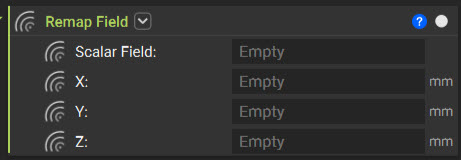
You can think of transforming a field as changing the coordinates at which you evaluate it. For example, replacing x with (x−2) in a sphere equation shifts its zero-value surface by 2 units in the positive X direction. Rather than moving the geometry directly, the transformation changes how points in space are mapped to the source field. This coordinate substitution is the principle behind the Remap Field block. The Remap Field block is located under Fields > Remap. It accepts a Scalar Field input, which may also be an Implicit Body because an implicit body contains an underlying scalar field. The block also provides X, Y, and Z inputs, each of which accepts any scalar field.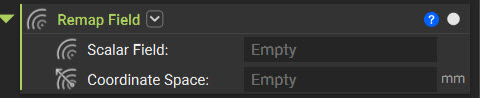
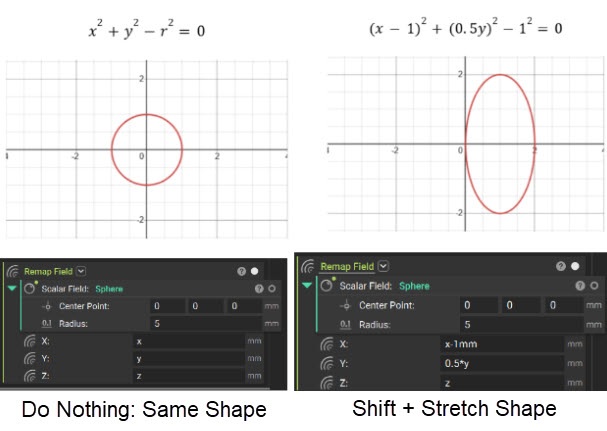
Translation: An SDF-Preserving Remap
Take the same sphere, and set the Remap Field block’s X input to x − 2 mm, leaving Y and Z as they are. The sphere shifts 2 mm in the positive X direction.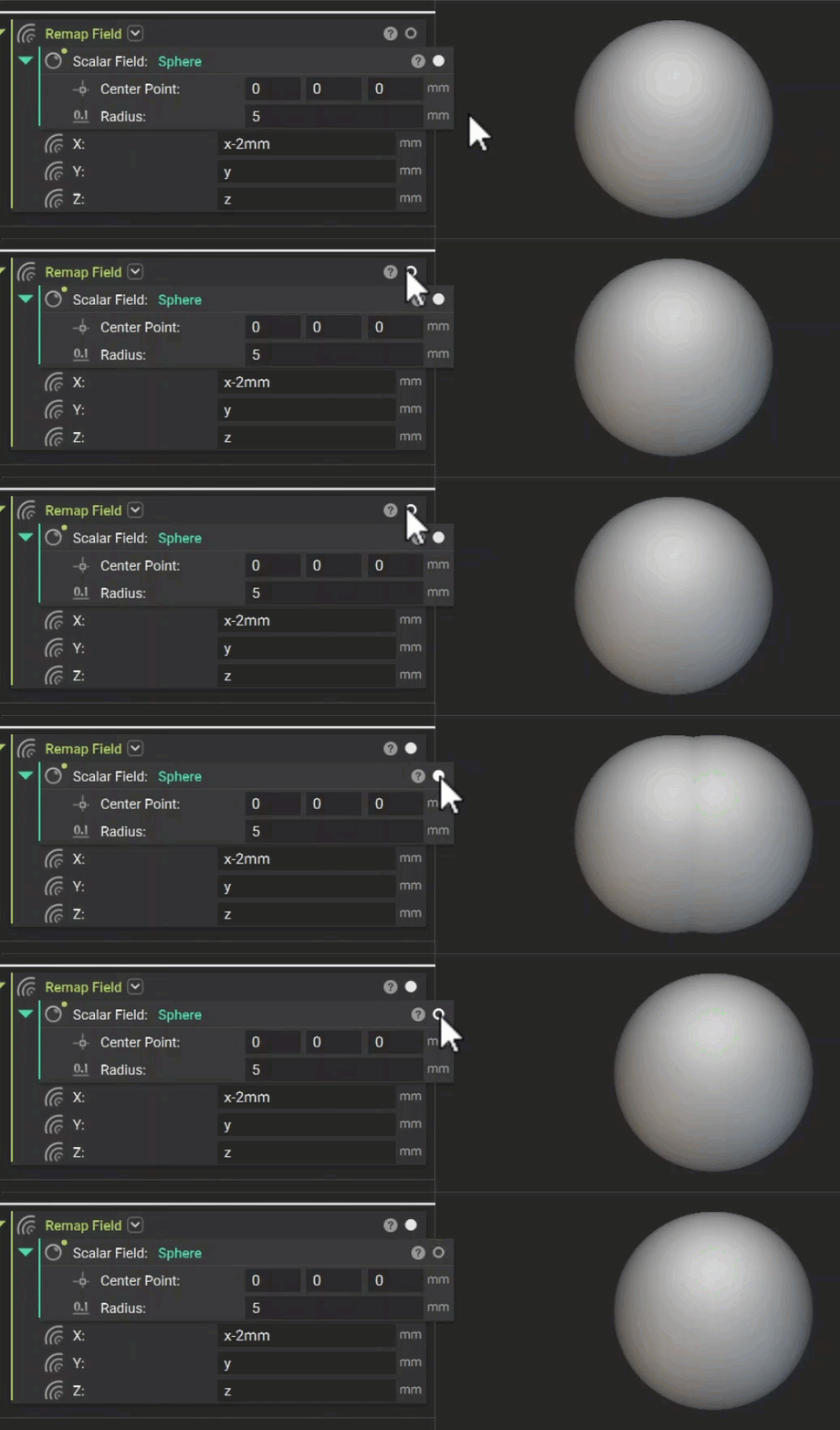
Mirroring
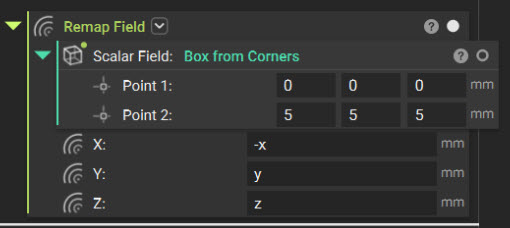
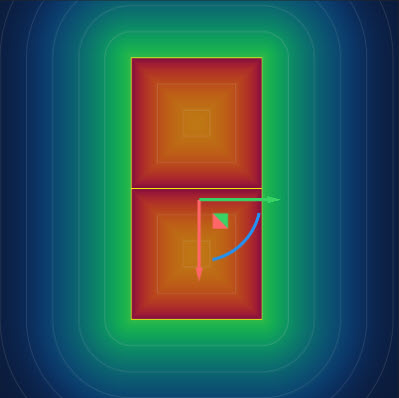
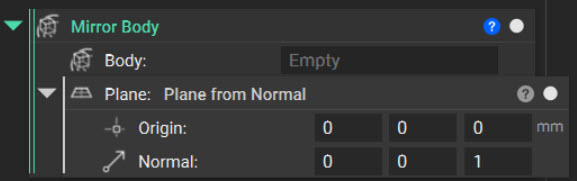
Mirroring is another transformation that preserves the SDF when you perform it with a Remap Field. To reflect geometry across the YZ-plane at x=0, drag the Negative property of the X component block representing −x to the X input while leaving the Y and Z inputs unchanged.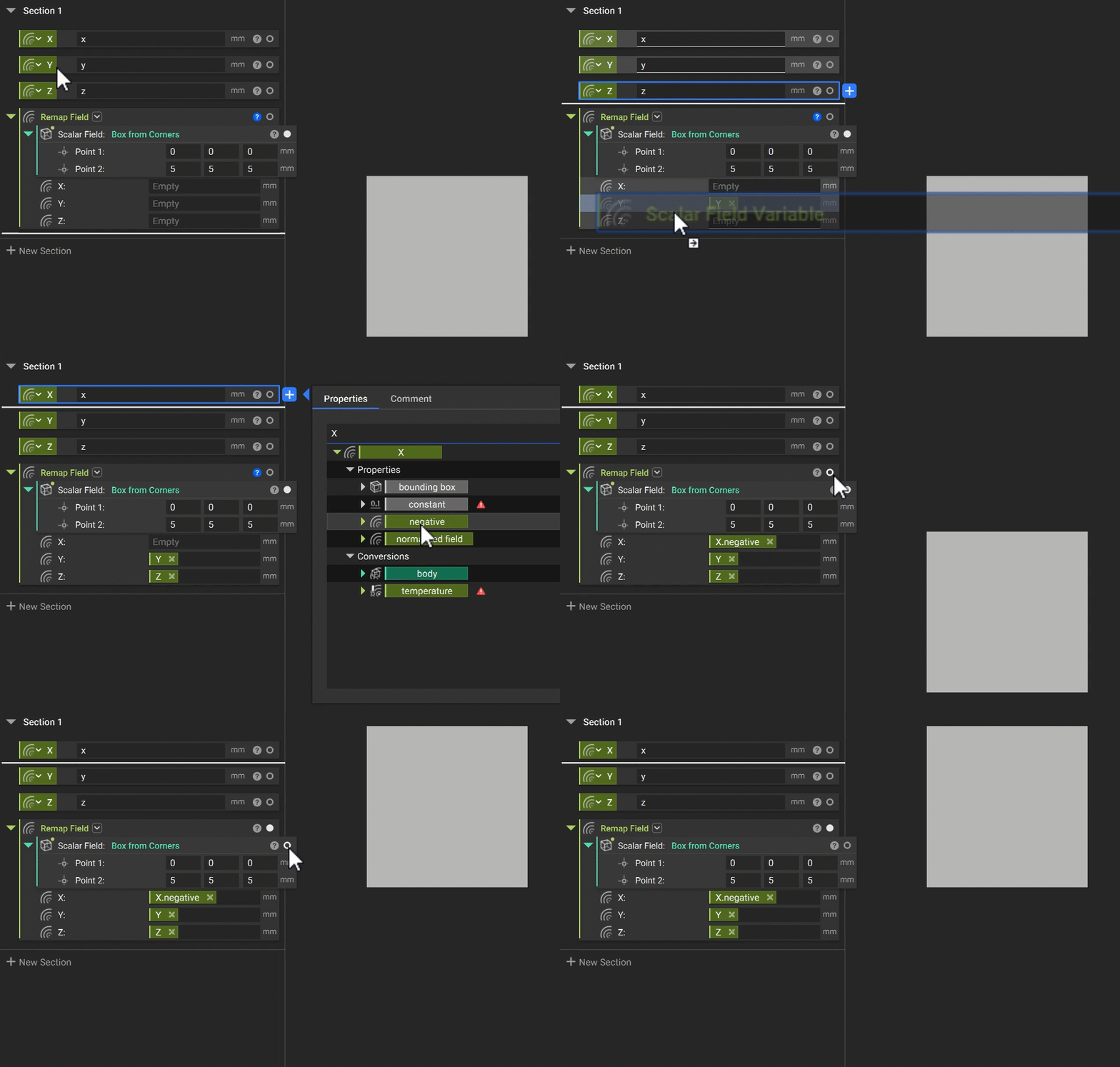
Scaling: An SDF-Distorting Remap
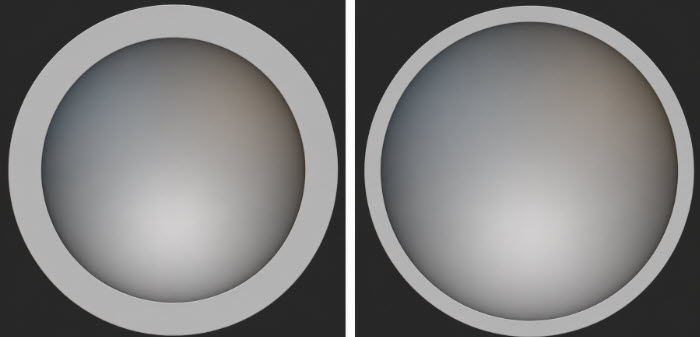
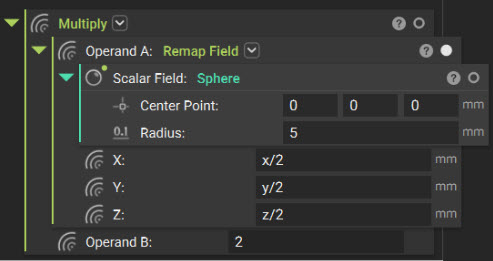
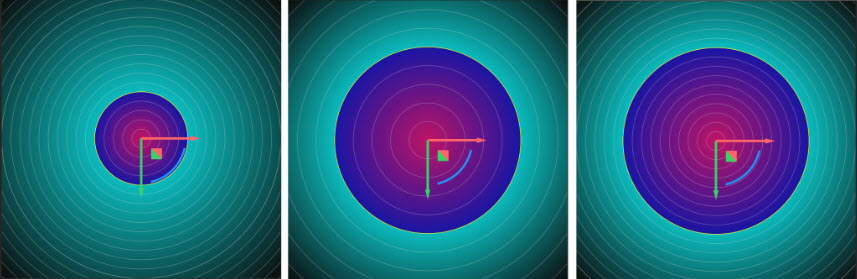
Set the X, Y, and Z inputs to their corresponding coordinate fields divided by 2.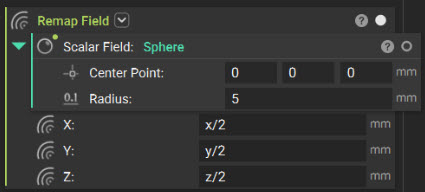
Arraying
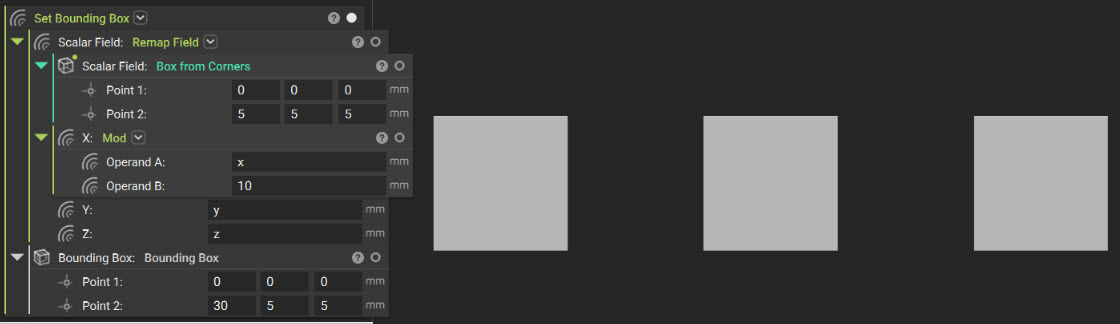
Repetition uses a different form of coordinate substitution. Rather than relocating a single copy, it creates an infinite sequence of copies. The Mod block, located in the Math tab, returns the remainder of a division. Inputting Mod (x, spacing) to the X input of Remap Field maps every interval of length spacing back to the same base interval. As a result, any geometry within that interval repeats every n spacing units along the X-axis. Because the resulting field extends infinitely, use Set Bounding Box to define a finite region in which to visualize it.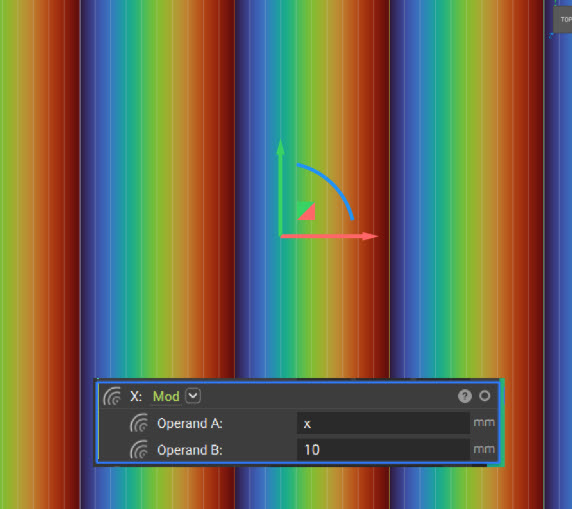
Cylindrical and Spherical Remap
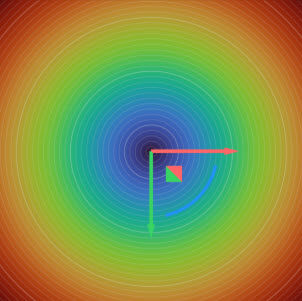
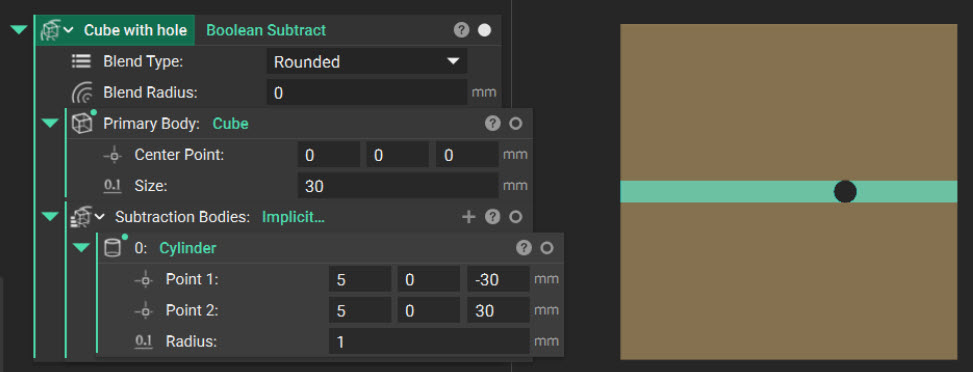
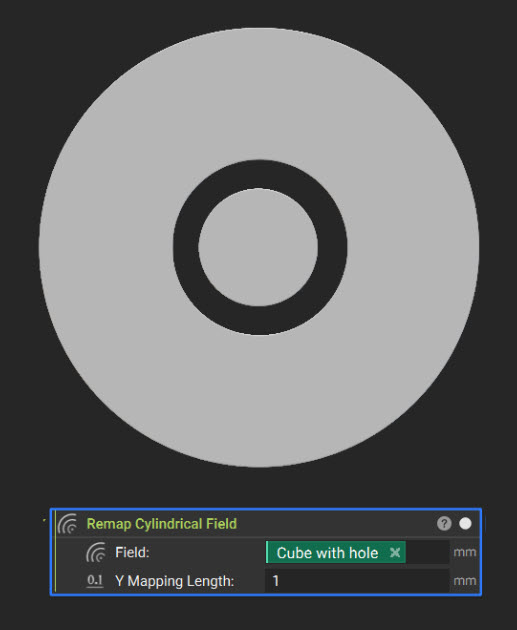
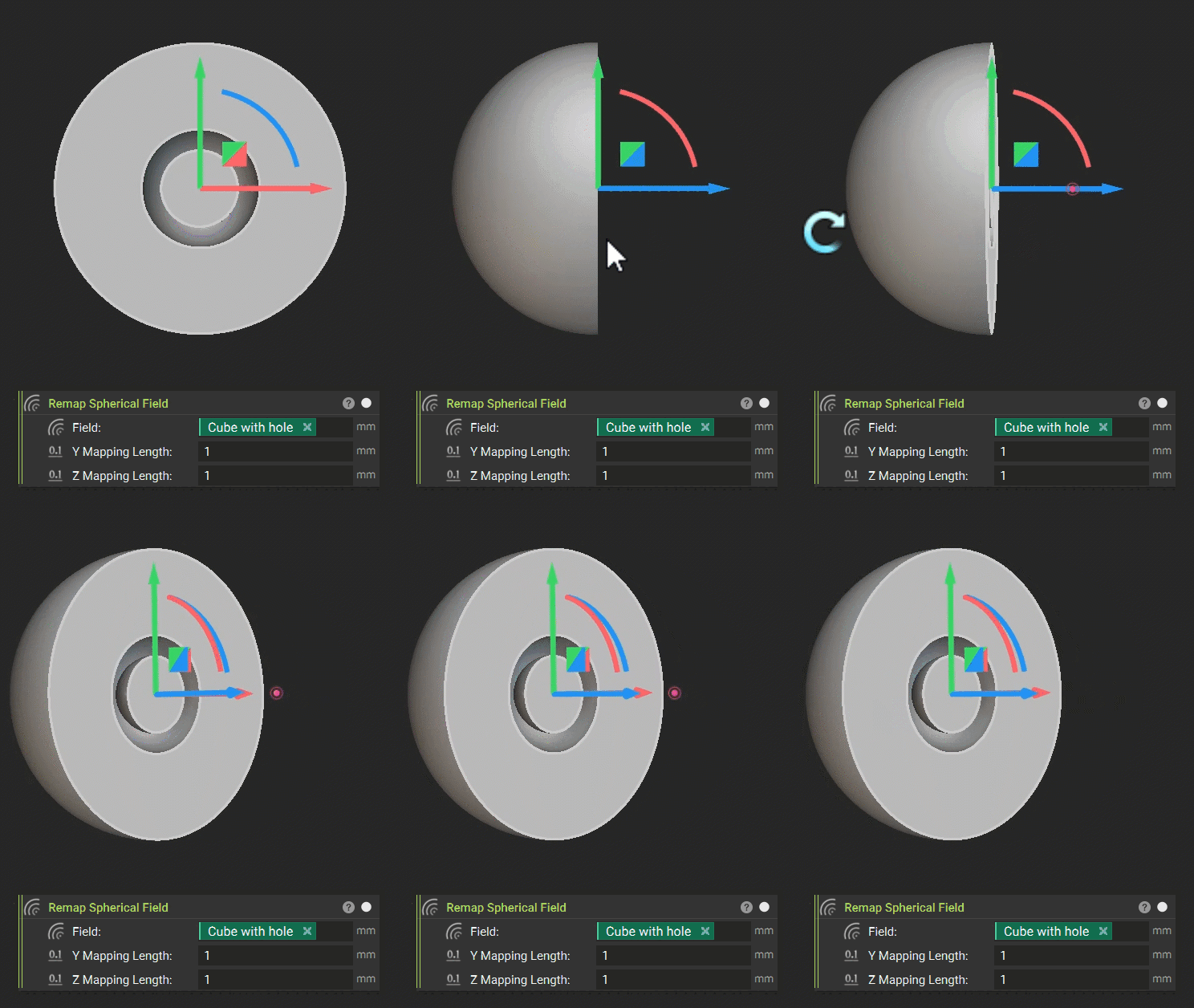
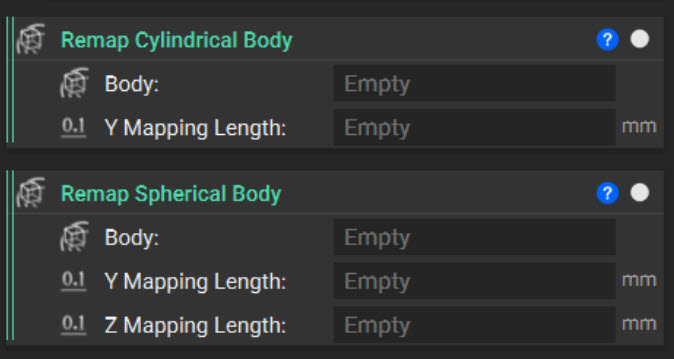
The Remap Cylindrical Field and Remap Spherical Field blocks, located under Fields > Remap, transform planar geometry by wrapping it around an axis or point—like wrapping a flat label around a cylinder.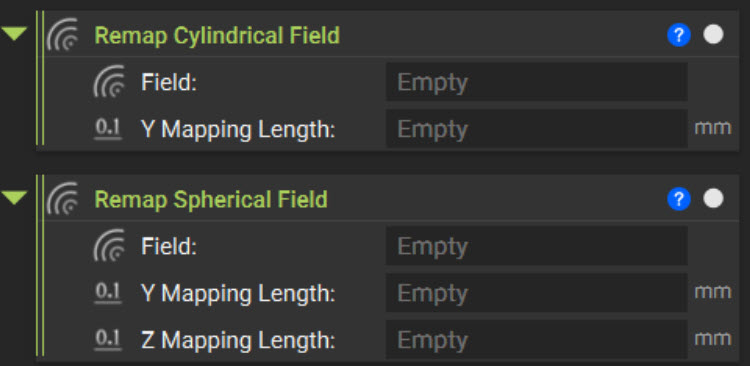
What to Take Away
- Every signed distance field (SDF) is an implicit field, but not every implicit field is an SDF. A true SDF has a gradient magnitude of 1, meaning its values represent physical distance from the zero-value surface.
- A distorted field may appear correct in the Viewport because its zero-value surface remains valid. Use the Field Viewer to inspect isoline spacing and identify field distortion.
- Operations such as offsetting, shelling, and blending depend on field values beyond the zero-value surface. Distorted fields can therefore produce inaccurate dimensions or inconsistent results.
- Remap Field transforms geometry through coordinate substitution. Connecting a field to the X, Y, or Z input changes where the source field is evaluated without modifying its original equation.
- Translation and mirroring preserve the SDF because they do not stretch or compress the field. Uniform scaling produces a constant distortion that you can correct with a constant multiplier, while nonuniform scaling cannot.
- Combining Mod with Remap Field creates an infinitely repeating field. Use Set Bounding Box to define a finite visualization region.
- Remap Cylindrical Field and Remap Spherical Field wrap planar geometry into cylindrical or spherical coordinate spaces, but their distortion varies throughout the field and cannot be corrected with a single multiplier.
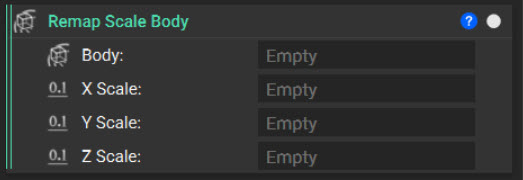
- When you must preserve accurate distance values, use body-specific remapping blocks—such as Remap Scale Body, Remap Cylindrical Body, or Remap Spherical Body—that attempt to compensate for field distortion.