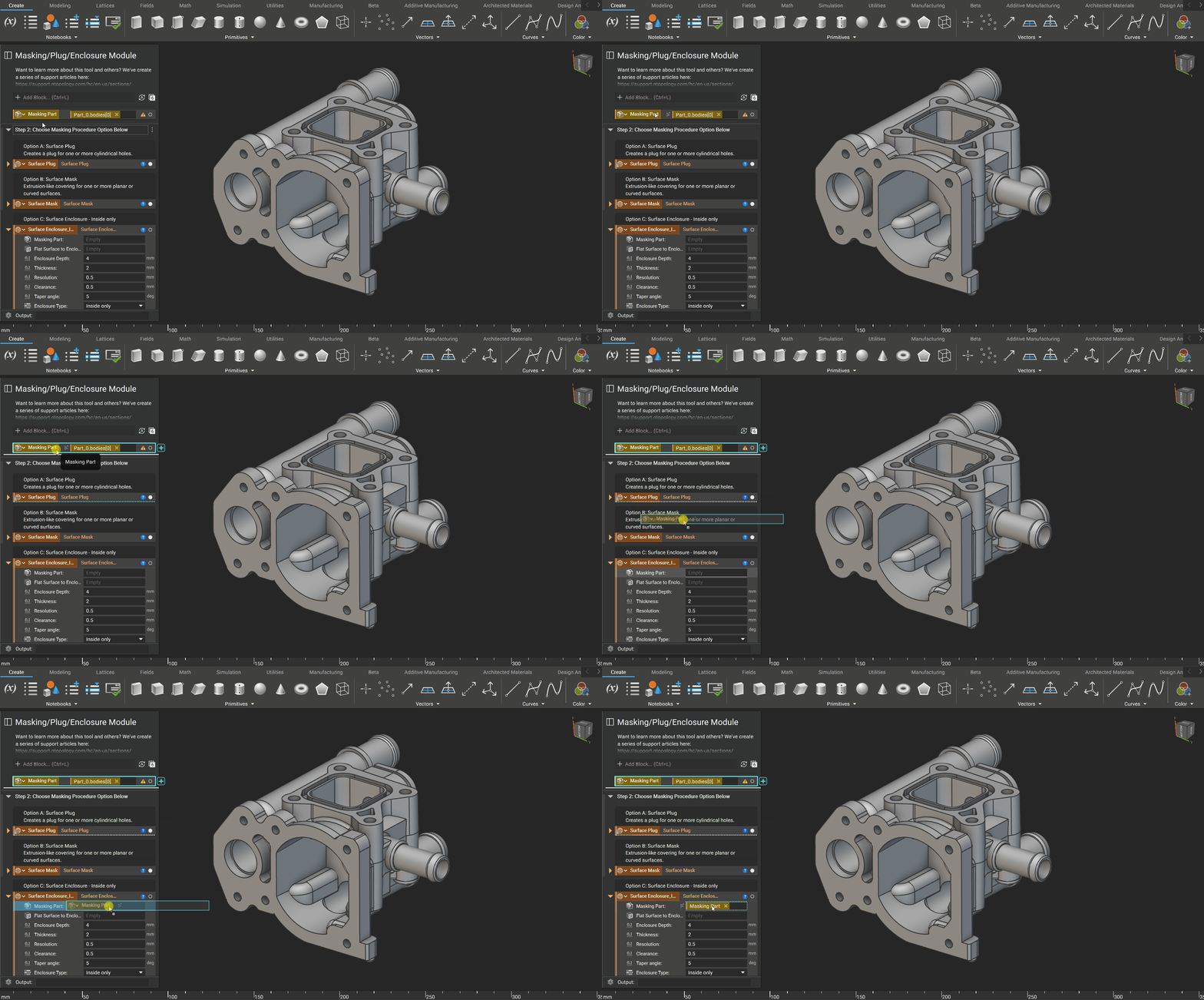
Step 1: Import CAD and Drag into Part Input of the Surface Enclosure block

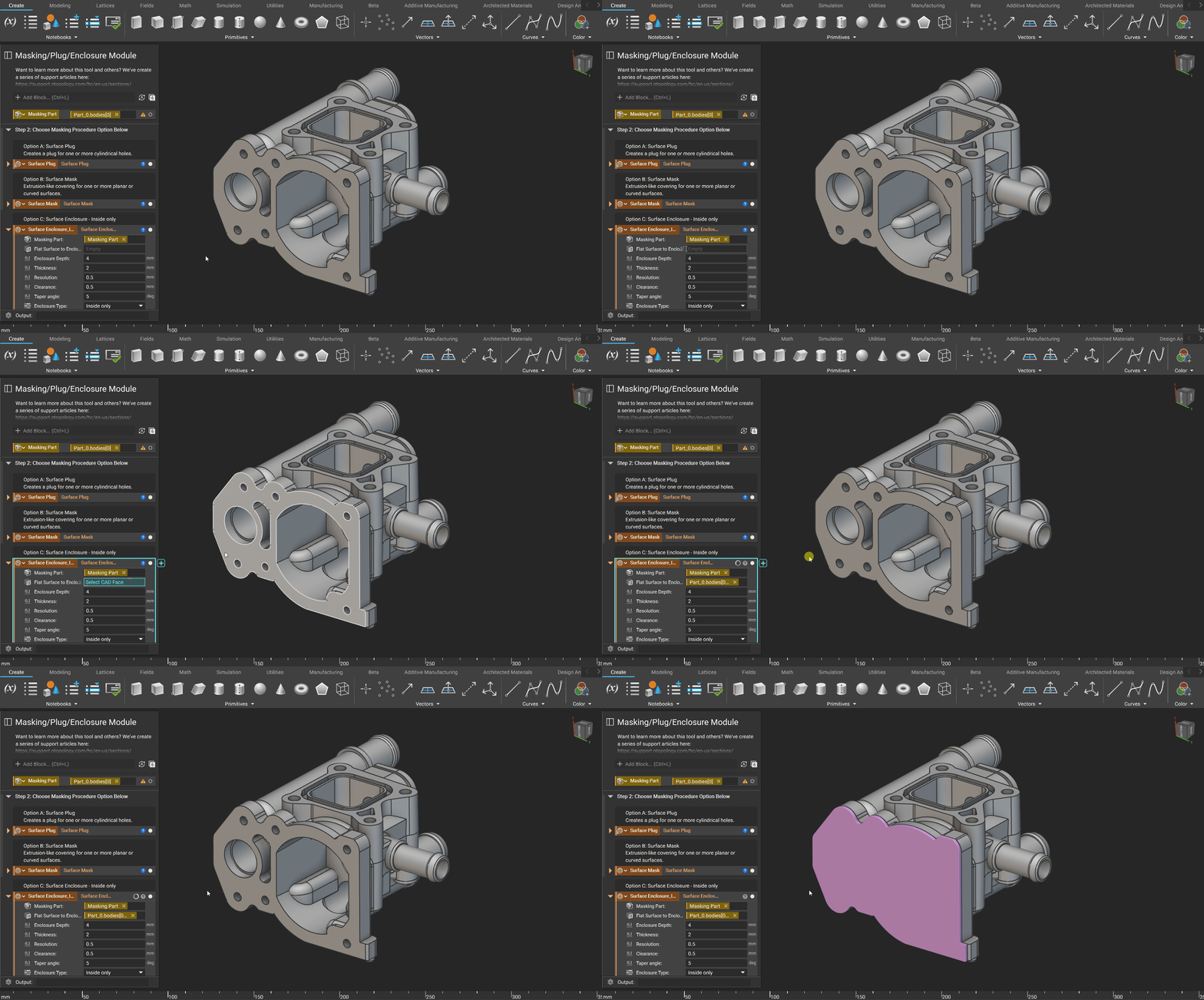
Step 2: Select Flat Surface to Enclose

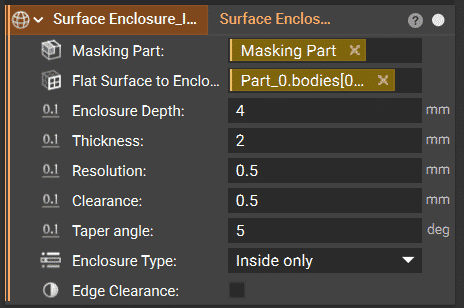
Adjustable Inputs

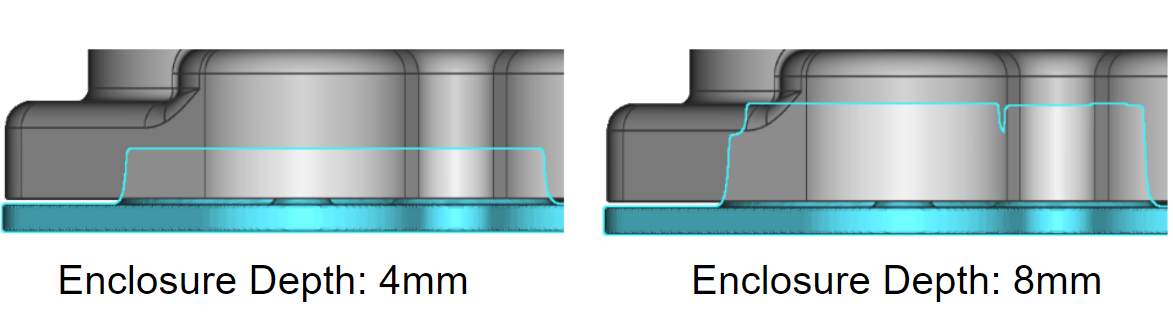
Enclosure Depth
Enclosure Depth
The enclosure’s depth into the part as measured from the input surface.

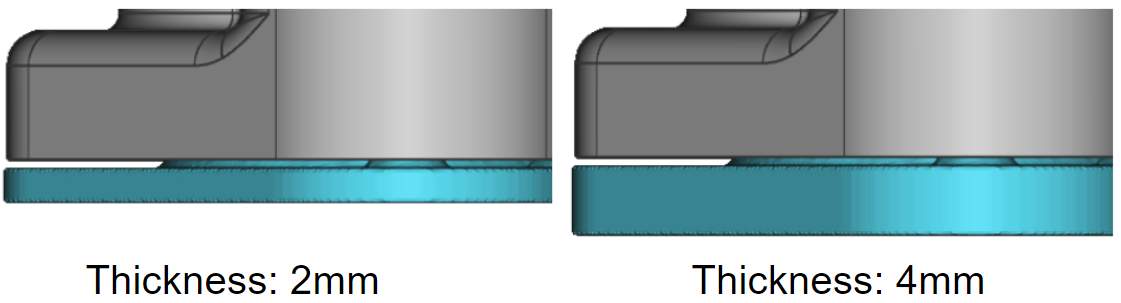
Thickness
Thickness
The outside thickness of the surface enclosure is measured from the normal of the input surface.

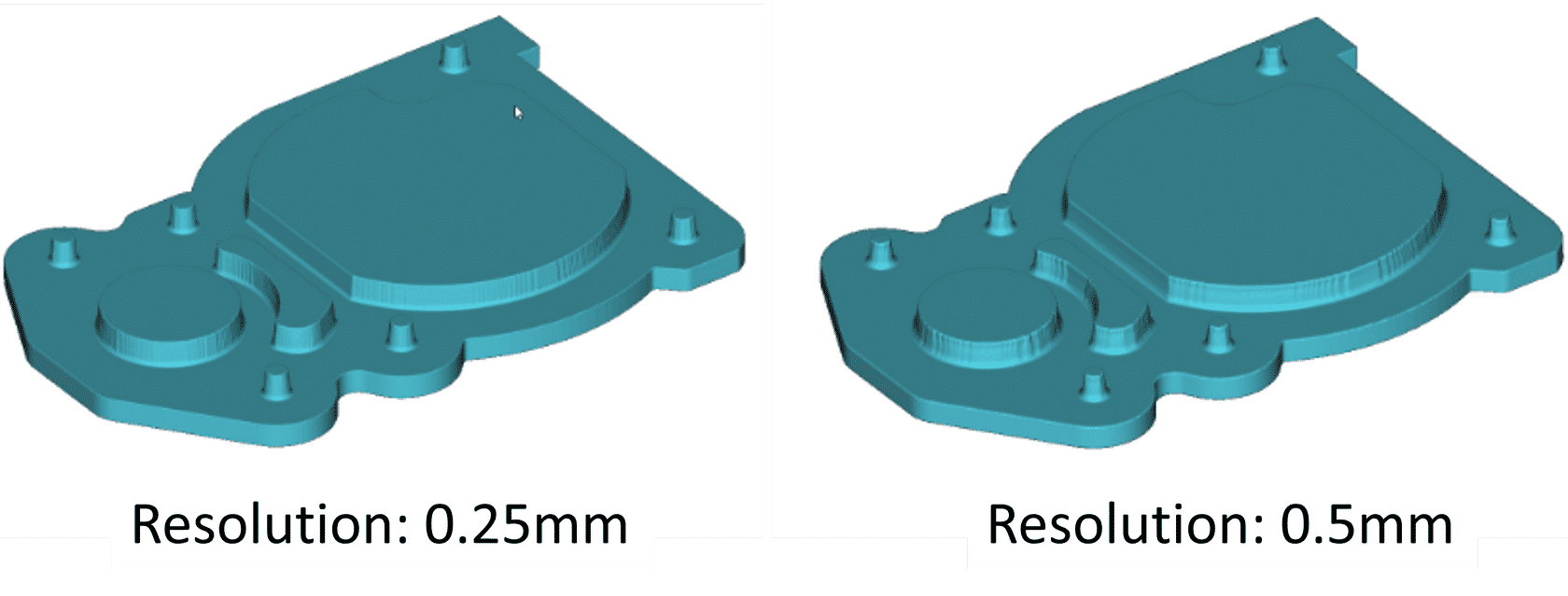
Resolution
Resolution
The smallest feature nTop will recognize.

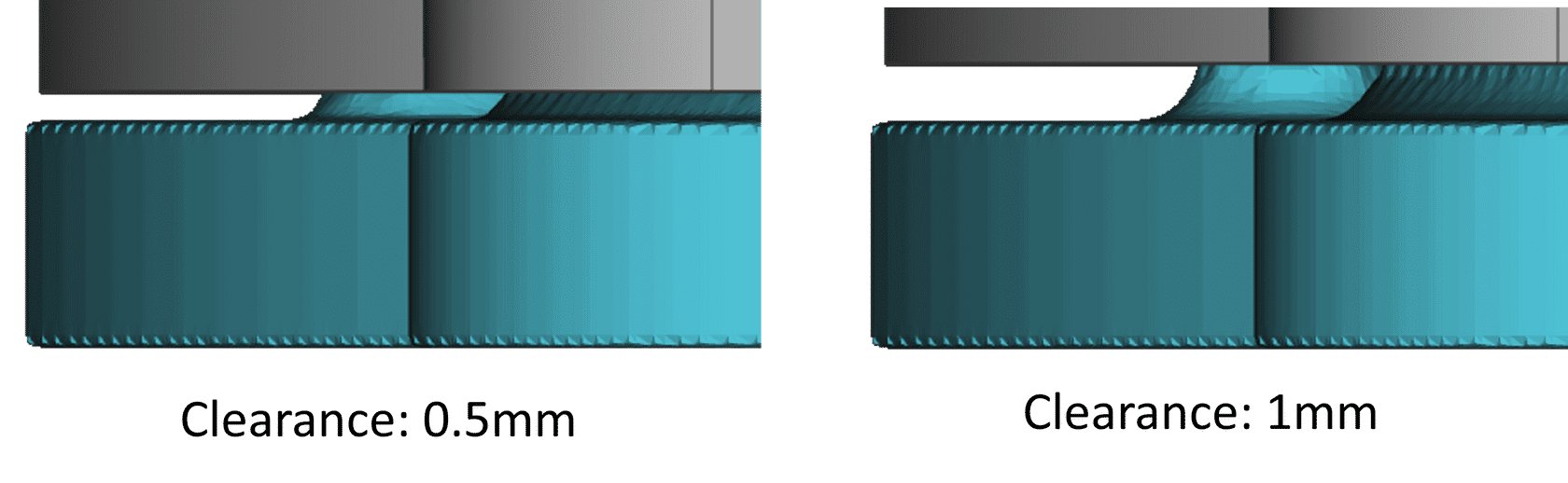
Clearance
Clearance
Space between the final part and the enclosure surfaces.

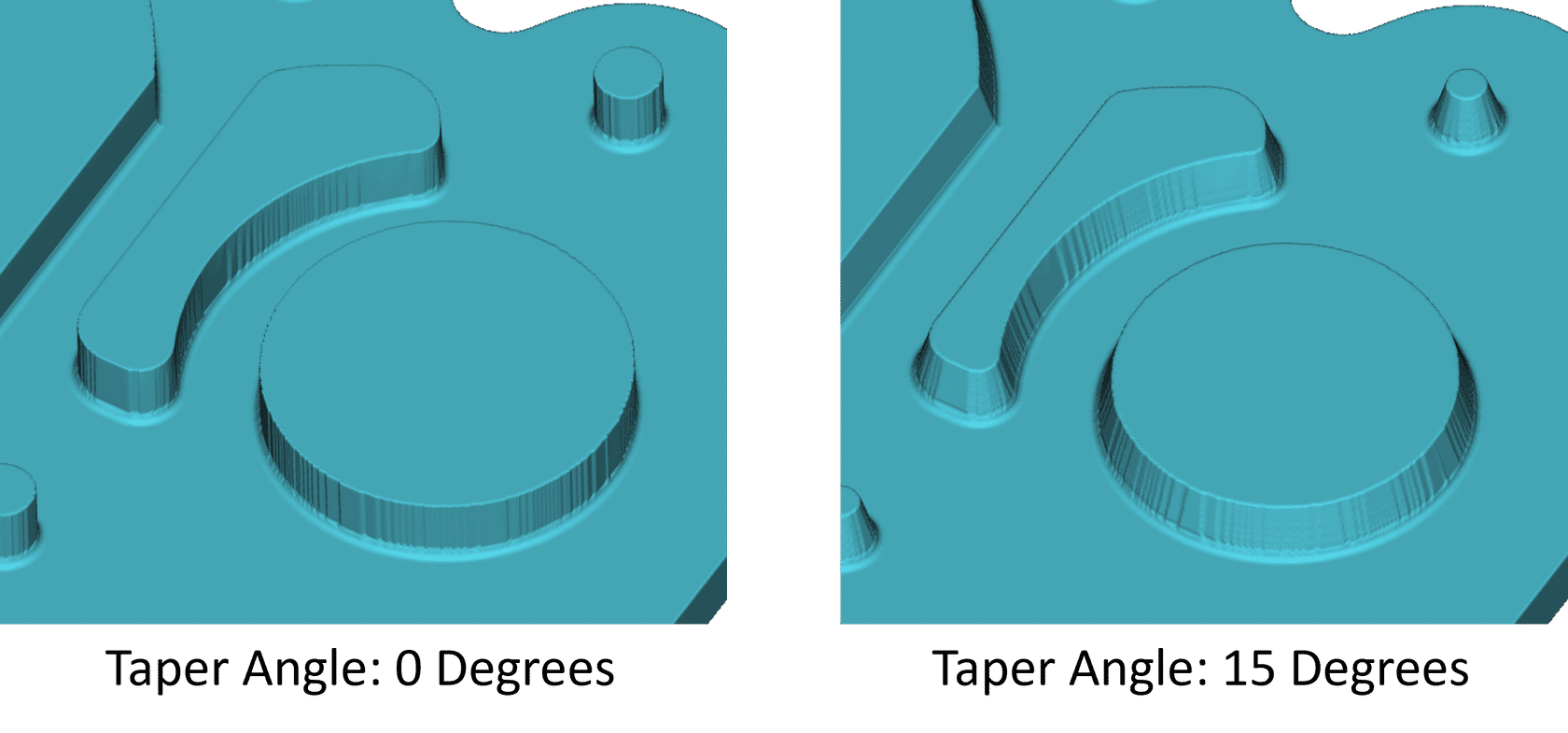
Taper Angle
Taper Angle
The taper angle applies a taper to the enclosure’s volume that enters the part to enclose.

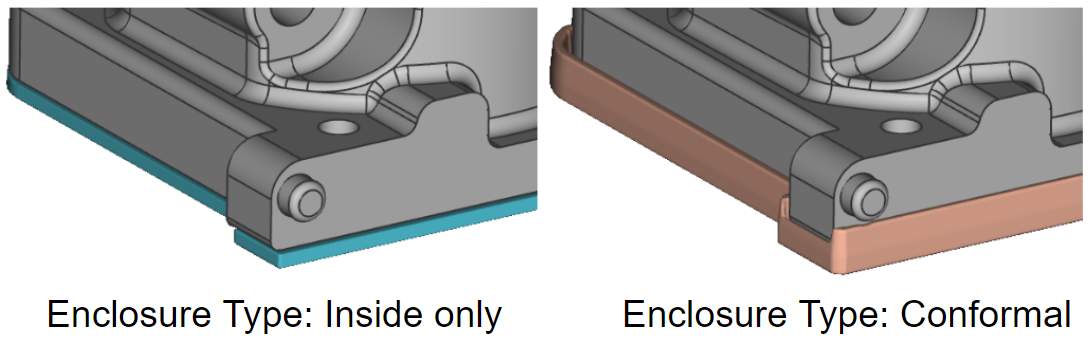
Enclosure Type
Enclosure Type
Selecting internal will enclose all surface holes as well as mask the surface. Selecting external adds an additional boundary surface around the face.

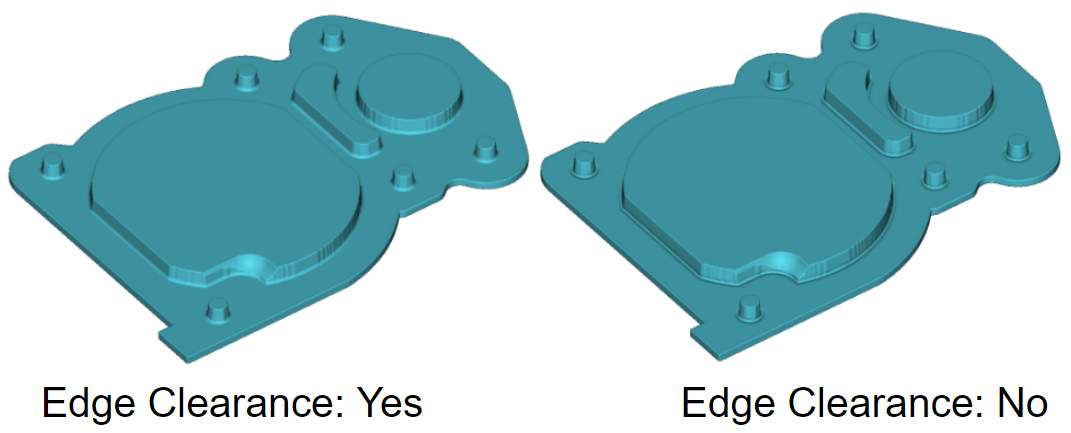
Edge Clearance
Edge Clearance
Creates an undercut on all interior sharp edges to ensure full plunge depth.