Step 1. Import Base CAD or Mesh
You start with the geometry for which you want to create a fixture. You can start with either a CAD or a Mesh, which can be imported using the Import Part or Import Mesh block.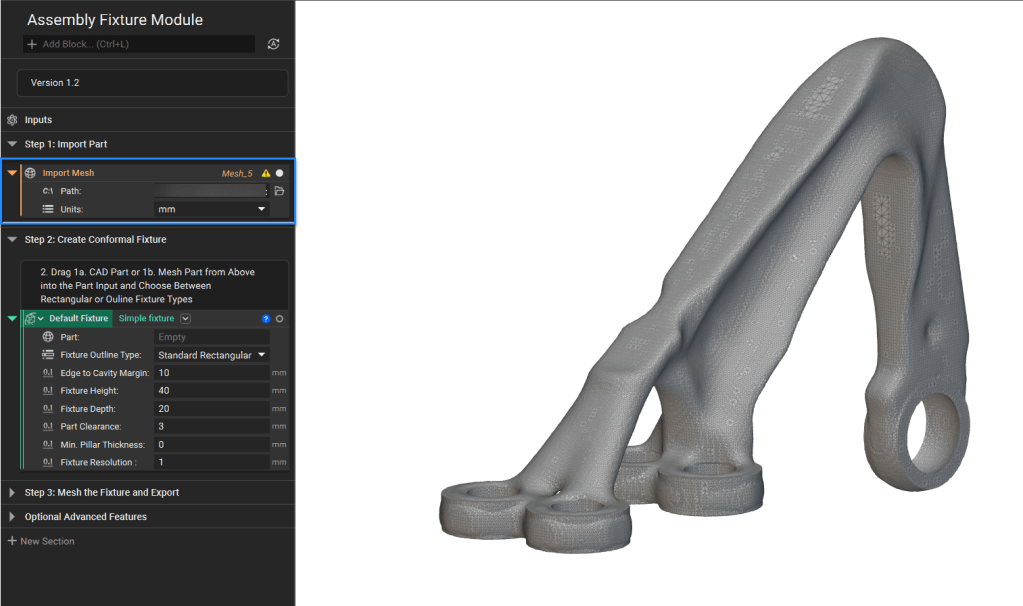
Step 2.
We will now create a Fixture using the Simple Fixture custom block that you can download from here. Once you have downloaded it, you can add it to your notebook by importing it. Drag and drop the imported geometry; we will use the imported mesh file in this case.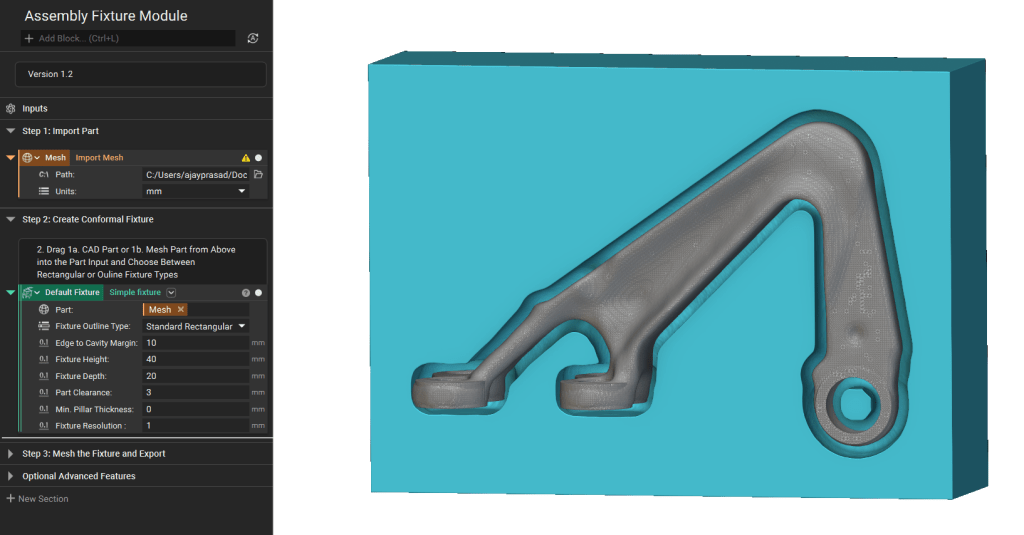
Step 3. Adjust inputs
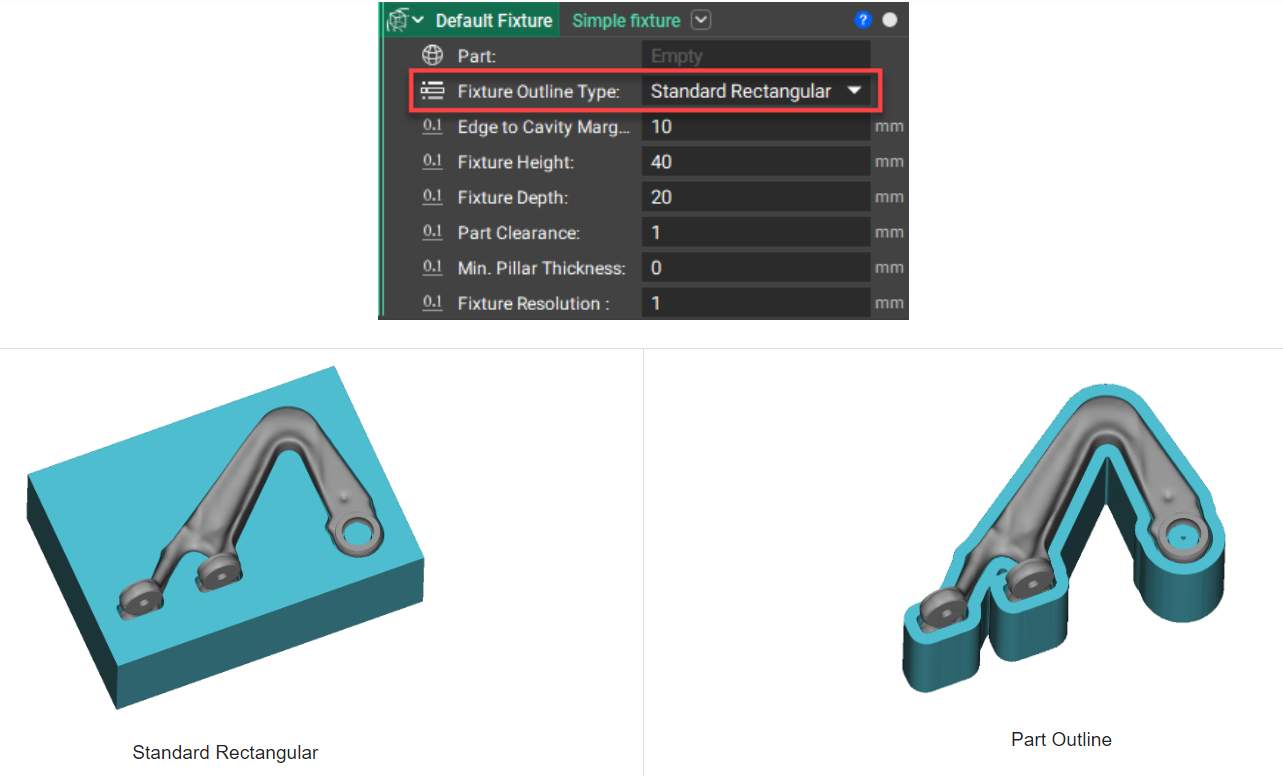
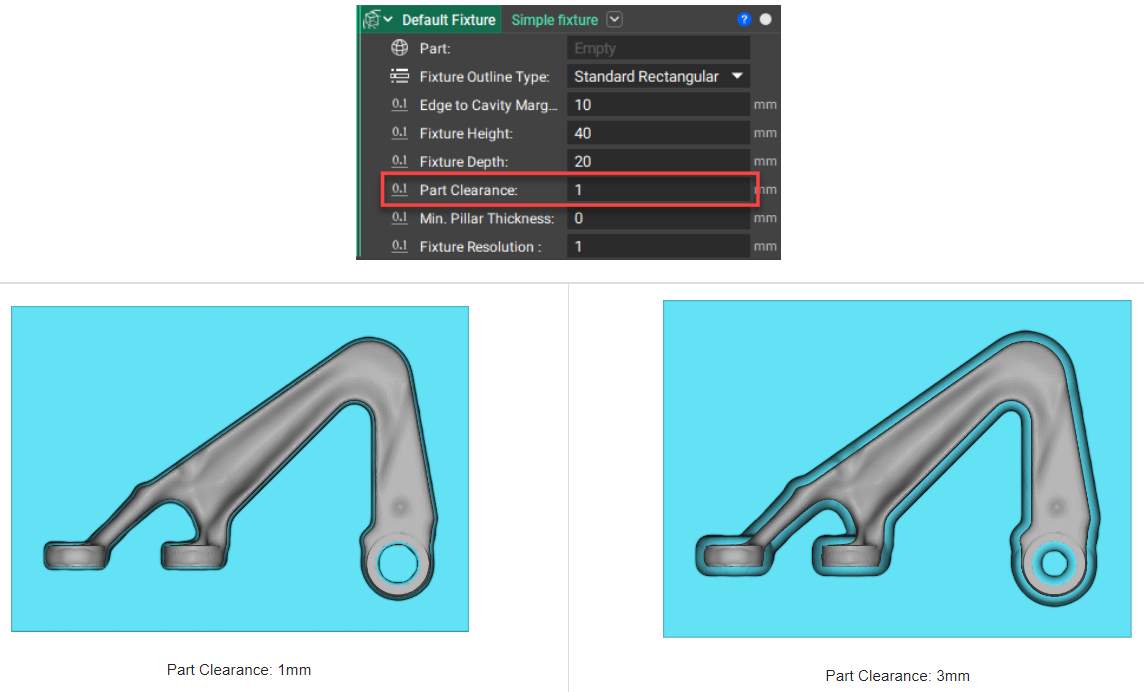
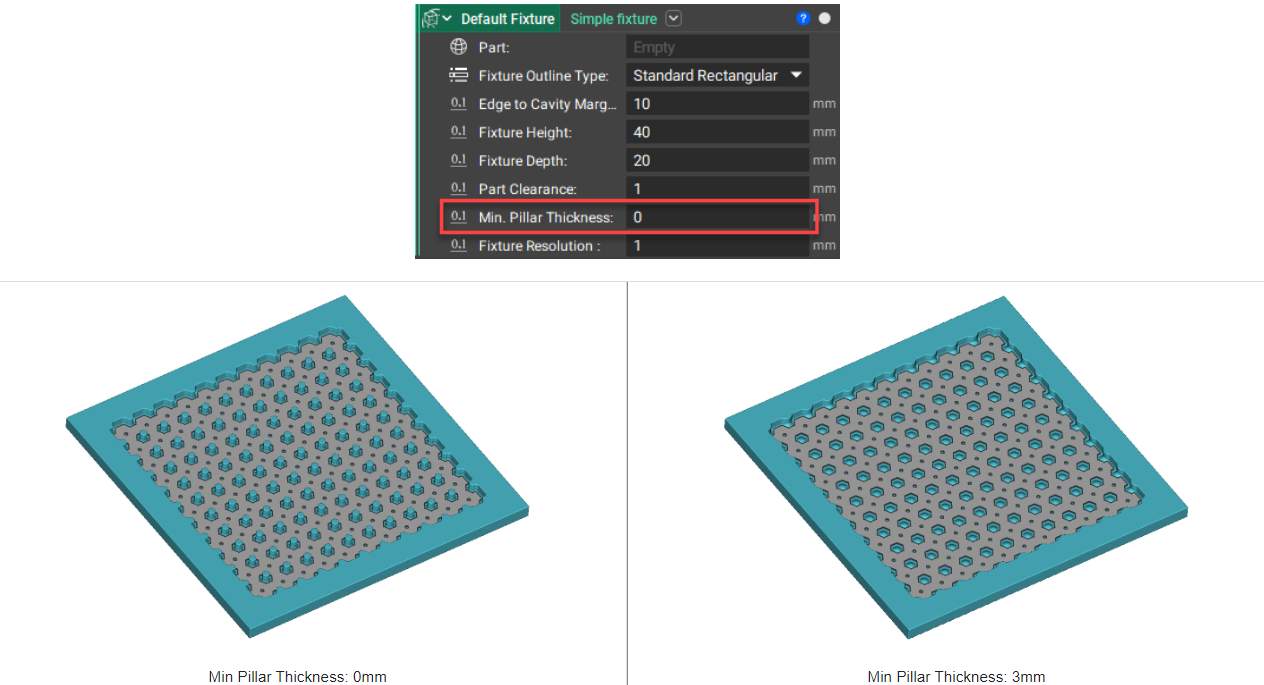
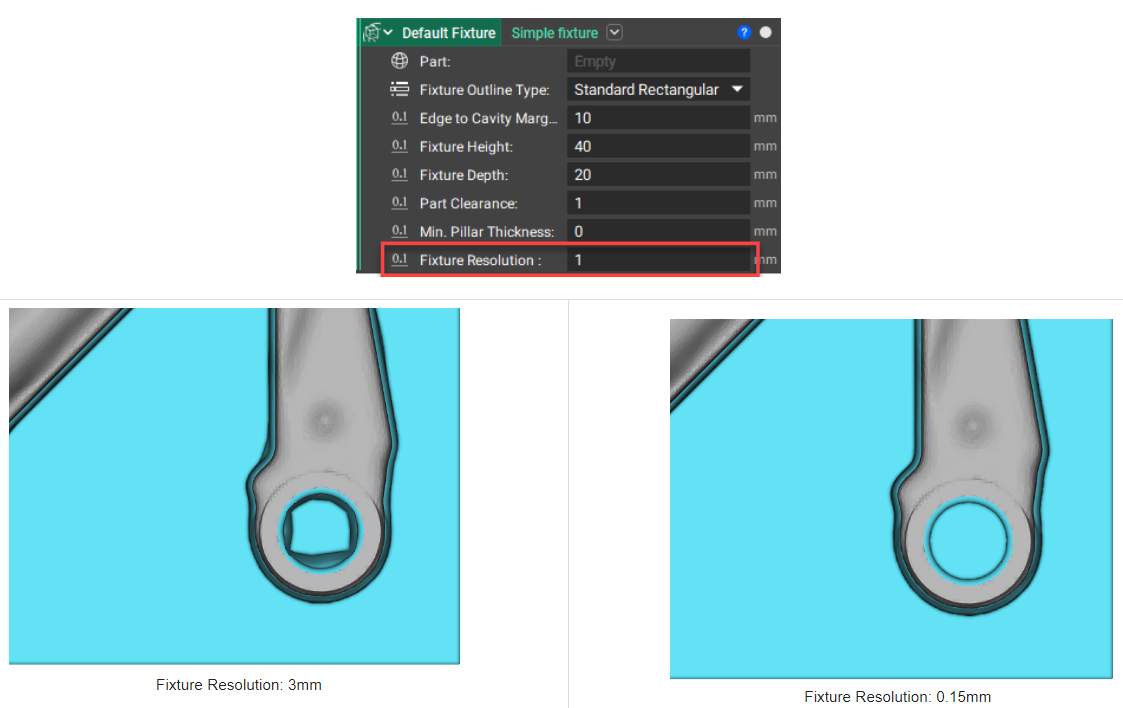
Choose between a rectangular outline or part outline shape to create the fixture design.