- Determine the input you want to iterate
- Open up the info panel and find the input type
- Search for that type of list in the notebook search bar (ex. Scalar List, Point List, Vector List…)
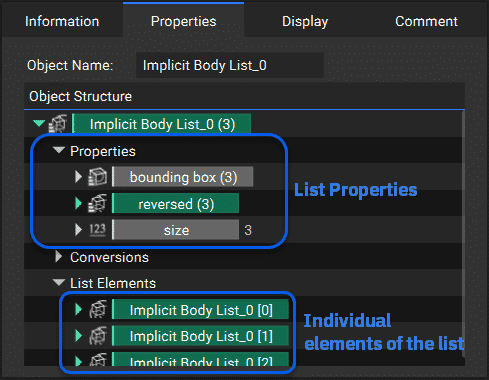
List Properties
Each list contains a set of List properties at the top and individual properties for each item within that list grouped under List Elements. You can drag an individual property from a List to create an item in the notebook. You can expand the dropdown arrow next to the individual entities to reveal more information on that individual list entity.